Amazon Shopping
- 4.4
- Rating
- 1.00B
- Installs
- Free
- Price

 Analysis by App-foxy
I use Amazon Shopping as a practical buying tool rather than as a place to browse endlessly. The app puts a very large range of products on my phone, but its real value depends on how I shop: whether I already know what I need, want to compare several sellers, or simply want the quickest route from a product idea to an order. In my experience, it can save time when I use its search and product pages carefully, yet it can also encourage impulsive purchases if I treat every recommendation as a reason to buy.
The first-week appeal: one familiar place to look
During the first few days, the appeal is straightforward: I can search for something I need, compare a range of listings, and keep the whole process on my phone. That makes the app easy to try, especially if I already shop online and want a broad marketplace at hand. The novelty is not the lasting benefit, though. What matters is whether the app keeps saving time once the initial urge to browse wears off.
Amazon Mobile LLC develops this free shopping app for Android, and it is aimed at teenagers and older users. It has been available since December 10, 2014, and its current version is 30.22.2.100. With over 500 million installs and an average score of 4.4 from around 4.4 million ratings, it is clearly familiar to a huge number of shoppers. Those figures tell me that the app is established, but they do not remove the need to check individual listings, sellers, delivery details, and return conditions before paying.
In-Depth Coverage of Amazon Shopping
How I Decide Whether Amazon Shopping Is the Right Tool
I use this section to set a practical boundary: which purchases benefit from a broad marketplace, and which deserve a more focused source. I also consider how much checking I am willing to do before buying, since convenience matters most when it does not come at the expense of confidence. That distinction helps explain why the app can be useful without being my answer to every shopping need.
Start with the kind of purchase you are making
The first question I ask is whether I am looking for a specific item or exploring a category. For a replacement cable, a household accessory, or a familiar brand, the app is usually efficient: I can enter a precise search, narrow the results, inspect photos, and move toward checkout without opening a browser. For an expensive item, an unfamiliar brand, or anything where fit and quality matter, I slow down considerably. The app makes discovery easy, but discovery is not the same as confident buying.
This distinction matters because product pages can place many similar-looking options beside one another. A low price may reflect a different size, bundle, material, seller, or delivery arrangement. I have found that reading the full title, selecting the exact variation, and reviewing the specifications is more useful than judging the first image. The most convenient result is not always the best match for the job.
Search is powerful, but only when the wording is precise
Broad searches can produce an overwhelming number of results. I get better results by describing the use case and the important constraint together, such as the device model, required size, color, or connection type. Once the list is manageable, I compare several product pages instead of assuming that the first result has earned its position through quality.
One useful habit is to search for the product in more than one way. A brand name may reveal official-looking listings, while a functional description may uncover less expensive alternatives. I then check whether the apparent bargain is actually the same type of item. This extra step is especially worthwhile for accessories, replacement parts, clothing, and multipacks, where small wording differences can change what arrives.
Product pages deserve more attention than the home feed
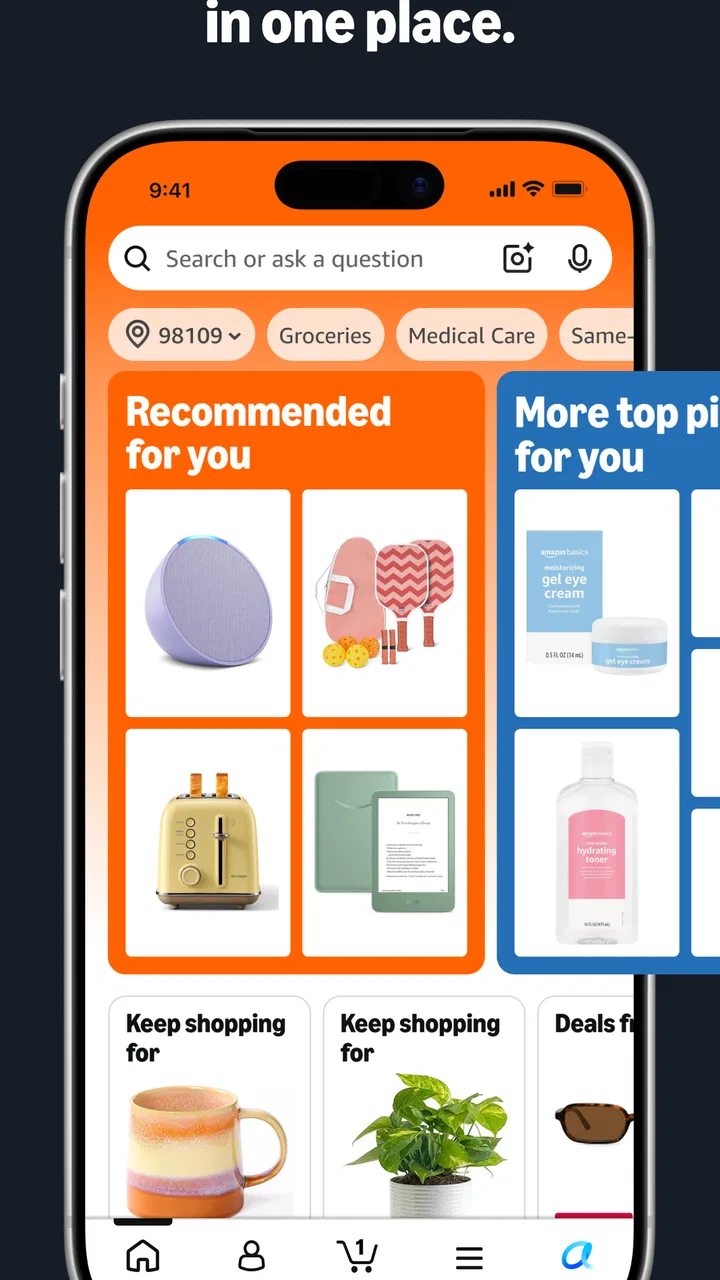
The home experience is designed for browsing, and that can be pleasant when I want ideas. However, recommendations are not a substitute for a shopping plan. I prefer to move quickly from the home screen to search when I have a defined need. On a product page, I look at the available variations, seller information, delivery promise, customer feedback, and the final order summary before committing.
Reviews are most useful when I read them for recurring details rather than relying on the average impression. For example, comments about sizing, durability, packaging, compatibility, or missing parts can reveal a problem that a polished product photograph will not show. I also pay attention to recent comments and to reviews attached to the exact variation I intend to select. This is one of the app's less obvious strengths: it brings a large amount of buyer feedback into the same decision process, provided I am willing to filter it mentally.
A realistic everyday use case
Imagine that I need a replacement kitchen item before the weekend. I search using the appliance model and the part name, then compare several listings rather than choosing the cheapest one immediately. I check the product dimensions, confirm that the selected variation is the correct quantity, read comments mentioning compatibility, and review the delivery information at checkout. If the item is sold by a different seller than I expected, I inspect that detail before placing the order.
You May Also Like

 Hill Climb Racing
Why Hill Climb Racing Still Turns Crashes Into One More Run
A tiny car, a bumpy hill and one more upgrade: Hill Climb Racing keeps resurfacing because its simple chaos makes every near-miss feel personal.

 Lords Mobile: Kingdom Wars
Lords Mobile Is a Kingdom-Building Routine, Not a Quick Match
A case-by-case verdict on the building, battles, device demands, and social commitments that make Lords Mobile rewarding for some players and exhausting for others.

 PDF Scanner app - TapScanner
TapScanner Makes Paperwork Easier to Capture, Check, and Share
TapScanner makes scanning with a phone feel less like a rescue operation and more like a dependable step in getting work done. Its capture tools are useful, though not flawless.

 Block Blast!
Block Blast! Shows How Much a Puzzle Game Can Leave Out
A quiet grid game shows why puzzle players increasingly value instant clarity, repeatable skill and low-pressure play—and where the genre still needs to catch up.

 Family Space
Family Space Review: A Shared Routine That Makes Family Life Easier
A parenting app earns its place not by adding more noise, but by making everyday coordination easier. Family Space gets that balance mostly right.

 1Weather Forecasts & Radar
1Weather Forecasts & Radar Makes the Daily Check Worthwhile
A good forecast does more than predict rain. This week's pick turns changing conditions into a clear, practical reason to check before you step outside.
More From Our News Desk
View All News


That workflow is faster than visiting several physical shops, especially when I already know the product category. It is not completely automatic, though. The app reduces the effort of finding candidates; it does not eliminate the responsibility of confirming that the candidate is right. For a simple repeat purchase, that trade-off feels worthwhile. For a technical component where a mistake would be costly, I may use the app for price discovery and then verify the model through the manufacturer's documentation or another specialist retailer.
Where the app wins against ordinary shopping alternatives
Compared with visiting multiple stores, Amazon Shopping gives me a single place to search across a broad selection and compare listings without traveling. Compared with a normal mobile browser, the dedicated app feels more focused for repeated shopping because my searches, product views, and account activity stay within the same shopping environment. That convenience is particularly valuable when I am buying several unrelated household items in one session.
It is also stronger than a small retailer's app when I want to investigate several product types at once. A specialist store may offer better knowledge in its own field, but Amazon Shopping is more convenient for a mixed basket containing home goods, electronics accessories, personal items, and everyday supplies. I see it as a broad marketplace tool, not as a replacement for every specialist source.
Where another option may fit better
I would not automatically choose this app for products where expert advice, hands-on inspection, or highly controlled sourcing is central. A local shop may let me check the feel, fit, or finish before paying. A specialist retailer may make technical compatibility easier to understand. A brand's own store may be preferable when authenticity, warranty handling, or direct support matters more to me than having many alternatives on one screen.
There is also a cost to having so much choice. Similar listings can make comparison tiring, and sponsored or highly visible results may draw attention away from the criteria I actually care about. I do not interpret visibility as proof of quality. If I am already uncertain about the product itself, the app can amplify that uncertainty by presenting more options rather than resolving it.
What the price really means
Amazon Shopping is free to download and use, which makes trying it low-risk from an app-cost perspective. The purchases themselves are separate, and in-app purchases range from $0.99 to $149.99 per item. I treat that range as a reminder to review the order total carefully rather than assuming that installing a free shopping app means the shopping experience will stay inexpensive.
Before I confirm an order, I check the item price, quantity, delivery charge where shown, selected variation, and final total. This is especially important when a page offers several sizes or bundles. A small-looking price can apply to the smallest option, while the version I actually need costs more. I also avoid adding something merely to make the basket feel more complete; the easiest saving is not buying an unnecessary item.
Month-to-month value: does it earn a lasting place?
After the novelty fades, I judge the app by how often it helps with purchases I would have made anyway. Its recurring value is strongest when I regularly need everyday goods, replacement items, or products from more than one category. A person who only shops online occasionally may get much the same result from a browser, while someone who frequently compares products can benefit from having a familiar search and checkout routine ready.
For a busy household, the useful habit is to treat a shopping session as a short errand rather than a pastime. I might note what has run out, search for those specific items, check quantities and variants, and then review the basket as a whole. This avoids repeatedly reopening the app for one forgotten item and makes it easier to spot an unplanned addition before ordering. The benefit comes from a more disciplined routine, not from opening the app more often.
The switching cost is mostly habit, not installation
Moving to Amazon Shopping from a mobile browser is simple, but changing my shopping routine takes more thought. Once I have become used to searching, saving items, and returning to familiar product pages, the app becomes part of my buying habit. Switching to a specialist store may improve advice or product focus, but it can also mean separate accounts, different checkout processes, and a narrower catalog.
For that reason, I do not see the choice as all-or-nothing. I use Amazon Shopping when breadth and convenience matter, then switch categories when a specialist source offers clearer expertise or a better way to judge quality. Keeping that boundary prevents the app from becoming my automatic answer to every purchase.
Maintenance without turning shopping into a chore
The main upkeep is not technical; it is keeping my own buying habits under control. I find it useful to revisit saved items only when I have a concrete reason, such as comparing a purchase I am planning or checking whether a particular option still suits the need. A saved product is a reminder, not a commitment. If I let saved items become a backlog of tempting possibilities, they add clutter rather than convenience.
I also make a point of checking the order summary each time instead of relying on what I remember from a previous purchase. The selected size, seller, quantity, and total can vary between listings or orders. A brief pause at checkout is a low-effort way to catch a mismatch. This matters most when buying a repeat item that looks familiar but may have several similar options.
Sources of fatigue, and who should skip it
For me, the fatigue comes from comparison overload and the temptation to keep browsing after I have found a reasonable option. A long list of similar products can make a simple decision feel like research, while recommendations can pull attention toward things I did not plan to buy. I get more out of the app when I decide in advance what would count as a good choice and stop once a listing meets that need.
I recommend Amazon Shopping to people who value selection, quick product discovery, and the convenience of managing ordinary purchases from a phone. It is a good fit for repeat buyers who already know what they need, busy households combining several types of items, and shoppers who want to compare multiple listings before deciding. The app is also useful when visiting several physical stores would take more time than the purchase deserves.
I would be more cautious about recommending it to someone who dislikes browsing marketplaces, feels pressured by constant product suggestions, or prefers speaking with a specialist before buying. It may also be the wrong first choice when the product must be inspected in person or when the seller's expertise is more important than catalog size. In those situations, a local or specialist retailer can provide a clearer path even if the price is not the lowest.
Practical habits that make the experience better
I search with the exact model, size, or compatibility detail whenever one exists instead of relying on a broad category term.
I compare the selected variation and seller information immediately before checkout, because the first displayed option may not be the one I intend to buy.
I read reviews for repeated practical issues such as fit, durability, missing components, or compatibility rather than treating the average score as a guarantee.
I save a product only when I have a reason to revisit it, then return later to compare it with alternatives instead of using saved items as an automatic shopping list.
I use the app for price and availability checks, but I seek specialist guidance when a purchase involves technical standards, medical concerns, safety, or difficult installation.
My recommendation after using it as a decision tool
Amazon Shopping is best when I use it as a comparison workspace, not as an automatic buying machine. Its broad selection and familiar mobile format make everyday shopping convenient, and the free app is easy to justify if I regularly purchase ordinary goods online. The large user base and 4.4 average rating support its reputation as a dependable mainstream option, but my own checks still matter more than popularity.
The app's main weakness is the same thing that makes it attractive: an abundance of listings can save a trip while making a decision harder. I would install it if I wanted one flexible shopping app for varied purchases, especially when I already had a clear idea of what to search for. I would not rely on it alone for specialist advice, hands-on inspection, or products where authenticity and technical support are the central concerns.
My final advice is simple: define the need first, search precisely, inspect the exact listing, and pause at checkout. Used that way, Amazon Shopping earns a place on my phone because it shortens the path from need to comparison without pretending that convenience replaces judgment. Used carelessly, it is easy to confuse a prominent result with a suitable one. For me, that makes it a strong general-purpose shopping app, with the best results coming from a deliberate shopper rather than a passive browser.
FAQs for Amazon Shopping
01What features does the Amazon Shopping app offer?
The Amazon Shopping app provides a comprehensive shopping experience with features like product search, price comparisons, customer reviews, and personalized recommendations. Users can also benefit from quick checkout, order tracking, and access to exclusive deals. Additionally, the app offers voice search and barcode scanning for easy product lookup.
02Is the Amazon Shopping app free to use?
Yes, the Amazon Shopping app is free to download and use. However, while browsing and searching for products is free, purchasing requires a payment method. Some features, like Amazon Prime benefits, are available only to paid subscribers, offering perks like free shipping and exclusive discounts.
03How secure is the Amazon Shopping app for transactions?
The Amazon Shopping app employs robust security measures, including encryption and secure servers, to protect users' personal and financial information. Users should ensure they download the app from official sources like Google Play or the Apple App Store to avoid security risks associated with unofficial versions.
04Can I use the Amazon Shopping app internationally?
Yes, the Amazon Shopping app can be used internationally. However, the availability of products, shipping options, and pricing may vary based on the user's location. The app automatically adjusts to the local Amazon marketplace, allowing users to shop with ease in different countries.
05Does the Amazon Shopping app support customer service inquiries?
Yes, the app provides customer service support through multiple channels, including live chat, email, and phone calls. Users can quickly access these options within the app to address any issues related to orders, returns, or account management, ensuring a smooth shopping experience.
Pros
- User-friendly interface for seamless navigation.
- Extensive product variety across categories.
- Convenient one-click purchasing feature.
- Reliable delivery tracking and updates.
- Secure payment options with multiple choices.
Cons
- Occasional issues with third-party sellers.
- App notifications can be overwhelming.
- Some features require Prime membership.
- High data consumption on image loading.
- Customer service can be hard to reach.

Amazon Shopping
Gallery